Command Palette
Quickly find and run any editor action.
How to open
Press Ctrl+K (or Cmd+K on Mac) to open the command palette.
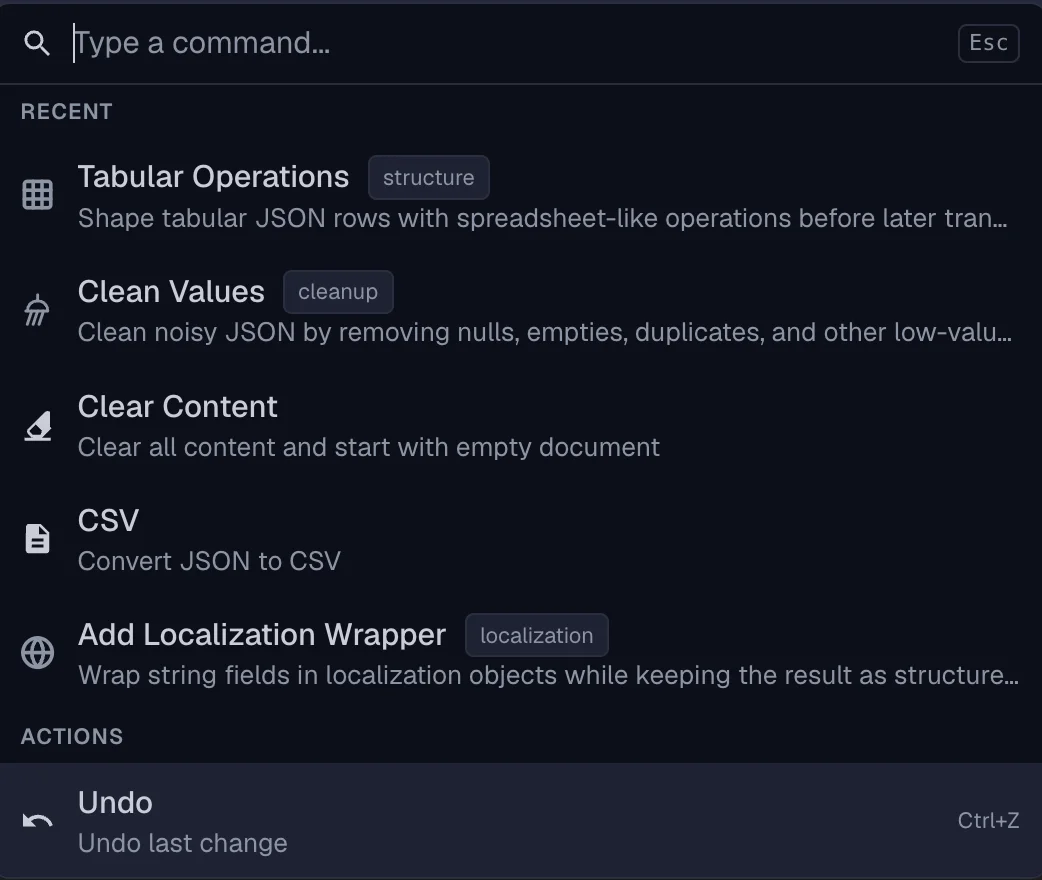
What it does
- Searches across all available actions
- Shows keyboard shortcuts for each action
- Groups actions by category
Categories
The command palette includes actions for:
- Edit — undo, redo, format, sort
- Copy — copy as JSON, minified, escaped, schema
- Save — save to disk, share, export CSV
- View — switch view modes, toggle fullscreen
- Tree — expand, collapse, move, duplicate
- Tools — pipeline utilities, find & replace
- Pipelines — run pipeline operations
Search
- Type to filter actions
- Matching is fuzzy — partial words work
- Results update as you type
Recent items
The palette remembers recently used actions for quick access.
Tips
- Use the command palette when you forget a shortcut
- Discover features you didn’t know existed
- Access pipeline utilities directly
Related
Last updated on