Macros
Record and replay keyboard sequences to automate repetitive tree operations.
Macros work with Tree View vim keybindings. Make sure you’re in Tree View to use macros.
What macros do
Macros let you:
- Save a sequence of tree actions
- Assign them to a slot (0-9)
- Replay them with a single keystroke
How to use
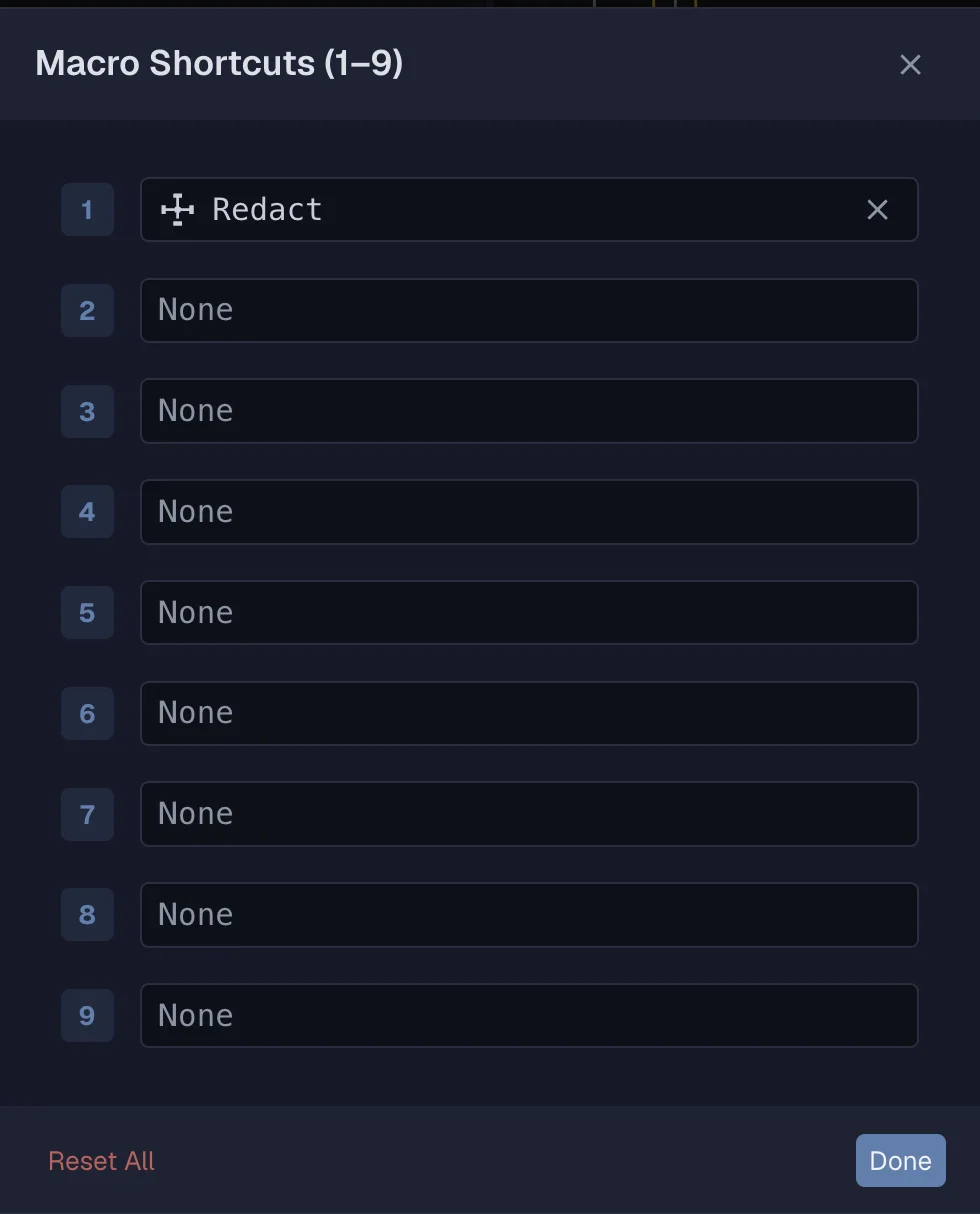
Assign a macro
- Press m m to open the macro assignment dialog
- Choose a slot (0-9)
- Define the actions
Activate a macro slot
- Press the number key (0-9) to select a slot
Execute a macro
- Press Shift+Enter to run the active macro
Chain macros
- Press > to chain multiple macros together
- Execute the full chain with Shift+Enter
Repeat last macro
- Press . to repeat the last executed macro
Clear chain
- Press Escape to clear the current macro chain
Edit macro configuration
- Press Alt+Shift+Enter to edit the macro config
Status bar
The status bar shows:
- Active macro slot
- Chain mode indicator
Quick reference
| Key | Action |
|---|---|
| m m | Assign macro |
| 0-9 | Activate slot |
| Shift+Enter | Execute |
| > | Chain next |
| . | Repeat last |
| Escape | Clear chain |
| Alt+Shift+Enter | Edit config |
Related
Last updated on