Versioning
Track every change to your JSON document with automatic version history.
What versioning does
Every time your document is saved, a new version is created.
This allows you to:
- Review past changes
- Compare versions
- Restore previous states
Key terms
- Version → a saved snapshot of your document
- Latest → the newest saved version
- Baseline → the version currently loaded in the editor
If a newer version exists:
You will see Update available
How versioning works
- You edit the document
- Changes are saved automatically
- A new version is created
Each version represents a complete state of your document.
Version history
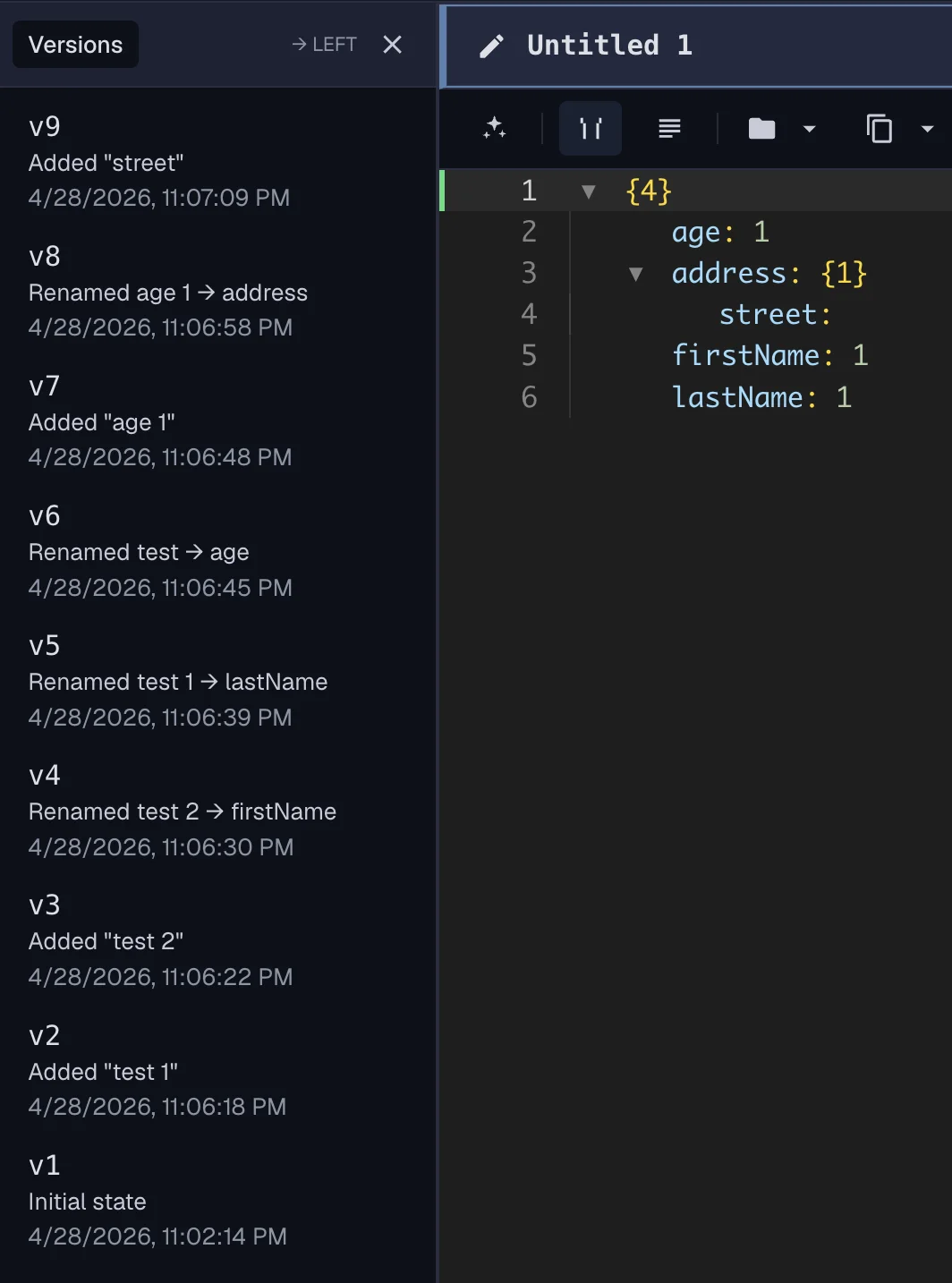
You can:
- Browse previous versions
- Load a version into the editor
- Compare versions side-by-side
Versions are:
- Ordered
- Immutable
- Safe to explore
Restoring a version
When you restore a version:
- The selected version becomes your current content
- A new version is created after saving
Your history is never lost.
Comparing versions
You can compare:
- Two different versions
- Current content vs a past version
Learn more: Diff & Compare
Update available
When a newer version exists:
- Your current content remains unchanged
- You choose whether to apply the update
Things to remember
- Every save creates a version
- Versions are never modified
- You are always in control of updates
Learn more:
Advanced: Version System
For a deeper explanation of how this works, see Advanced: Core System.
Version creation
- Versions are created after successful saves
- Each version represents a complete document state
Ordering
- Versions are strictly ordered
- Newer versions always come after older ones
Baseline vs latest
- Baseline → version currently loaded
- Latest → newest saved version
If latest is newer than baseline: → Update is available
Why versions are immutable
- Prevents accidental changes to history
- Keeps comparisons reliable
- Ensures safe restoration
Relationship to sync
- Sync distributes versions across sessions
- Version comparison determines updates
For more system details:
Last updated on